






What is an eSIM?
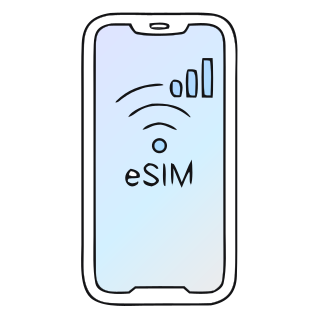
An eSIM is a digital SIM card: it lives on a chip your phone already has built in. You buy a data plan, scan a QR code and travel connected without swapping your usual SIM.
See destinationsThe SIM you know, minus the plastic
A SIM identifies your line to the network: it's what lets your phone make calls and go online. An eSIM (embedded SIM) does exactly the same job, with one difference: instead of sitting on a card you slot in, it lives on a chip built into the phone itself.
Because the chip is already in your phone, an eSIM plan isn't posted to you: it's delivered. When you buy it you get a QR code by email, and when you scan it your phone downloads the line's profile. The whole thing takes a few minutes and you can do it before you leave home.
And it doesn't replace your usual line: it sits alongside it. Your SIM stays in its tray with your number, and the eSIM takes care of your data for the trip. Nothing to take out, nothing to lose and nothing to give back.
How it works
Three ideas and you know everything you need to.
-
A chip that's already inside
The eSIM (embedded SIM) comes built into the phone from the factory. There's no card to insert: the hardware is already there, waiting for a line.
-
The plan downloads
When you buy, you get a QR code by email. Scan it and your phone saves the profile of your data line. That, and nothing more, is installing an eSIM.
-
And it works like any other line
It shows up in your phone's settings next to your usual SIM. Choose it as your data line for the trip and you're online.
How to set up your eSIM
No SIM counter, just three steps, and only the last one happens when you land.
-
Buy it and get your QR
As soon as you pay, an email arrives with the QR code and the instructions. No waiting, nothing to ship.
-
Set it up at home over Wi-Fi
On your phone: Settings › Mobile data › Add eSIM, then scan the QR. You can do it weeks before flying: installing doesn't use up any days.
-
Land already online
Switch on data roaming for the Gigapass line and it connects to a local network. That's when your plan starts.
 Japan
Japan eSIM vs physical SIM
They do the same job. Everything around them is different.
| Feature | eSIM | Physical SIM |
|---|---|---|
| Format | A chip built into the phone itself. | A plastic card that goes into the tray. |
| Delivery | Instant: a QR code in your inbox. | Posted to your home or collected in a shop. |
| Installation | Scan the QR code from Settings, in a few minutes. | Open the tray, swap the card and keep yours somewhere safe. |
| Your usual number | It stays where it is: the eSIM sits alongside your SIM, so you have two lines on one phone. | To use another SIM, yours has to come out of the phone. |
| Loss or damage | There's nothing physical to lose, bend or leave behind at the hotel. | It gets lost, scratched and rattles around in your wallet. |
| Compatibility | It needs a compatible phone. It's worth checking your model before you buy. | Works in any phone with a SIM tray. |
Why travel with an eSIM
What really changes when your SIM isn't a card.
-
Arrives instantly
You buy, the QR code lands in your inbox and you install it in a few minutes, from the sofa or once you're already away.
-
Over 200 destinations
Countries and entire regions, with the final price shown before you pay.
-
No lock-in
You pay for your plan once and that's it: no subscription to cancel and nothing to send back when you get home.
-
Your SIM stays put
The eSIM sits alongside your usual line: you keep your number and your WhatsApp for the whole trip.
-
Real people to help
If something gets stuck before or during your trip, a real person answers you on WhatsApp.
-
Secure payment
By card, Apple Pay or Google Pay, encrypted by Stripe. The price you see is the price you pay.

Now you know what it is. So, where are you going?
Find your destination, compare the plans and leave home with your eSIM already installed.
Choose a destination